

Quantum Resistant Network™
Xatoxi QChat
Decentralised peer-to-peer messaging, post-quantum encrypted and with no server in the middle. Every conversation lives on a chain of its own, certified by those who write on it. Download it for Linux, or use it in the browser.
What it is
Xatoxi QChat is a node of Xatoxi's decentralized network that a person runs on their own machine. Its conversations are chains: each message is a transaction sealed under a key only the members of that moment hold, every block is certified by the members who write, and the history a node shows is what its copy of the chain says. There is no server in the middle; the seeds of the network only introduce nodes to each other.
What it does
Checkable from the terminal
Everything on this list is described in the command-line manual that travels inside the published release, and it works the same from the web console: there is a single catalogue of actions.
- Directs, groups and bulletins, with an owner, those who write and those who read.
- Invitations with a role, an expiry and a number of uses.
- Four states per message: sending, sent, delivered and read.
- Typing indicator and read receipts, each with a switch of its own.
- Signed profiles with a name, a status and an avatar.
- Four presence switches, the public profile among them.
- Files shared into a conversation, chunked and sealed on its chain.
- A personal vault, with a sealed recipe only your identity opens.
- A chain explorer: blocks, transactions, and verification signature by signature.
- An identity you can export and import, to move machine.
In the web console
Two things the terminal does not do. The command-line manual leaves them out on purpose: the console is a separate repository and its screens are documented apart.
- Live audio and video, in two-person conversations.
- File exchange between two parties: each one puts theirs in the vault, both see the other’s metadata, and only if both accept does the exchange run, at the same time for both.
On screen
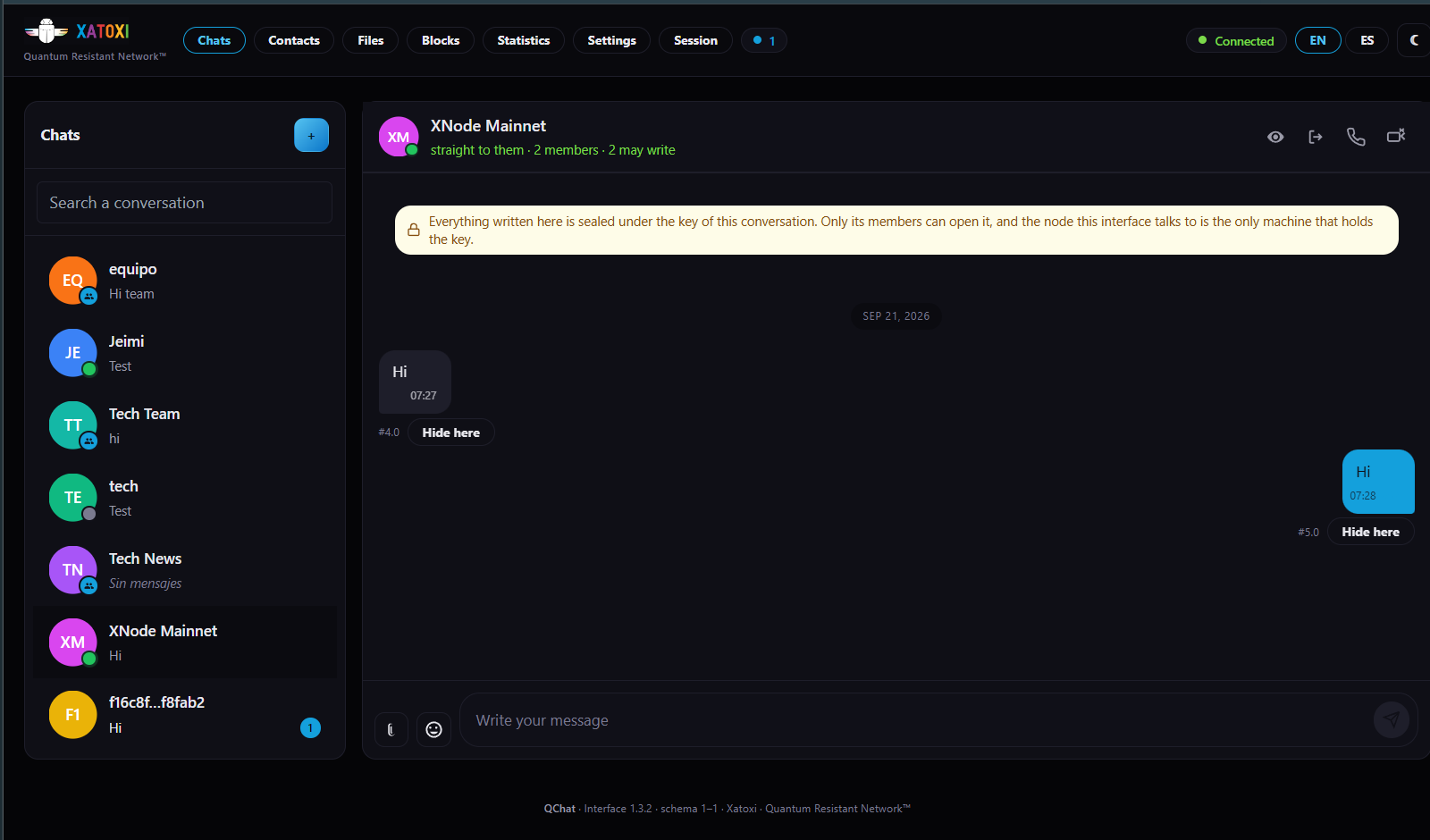
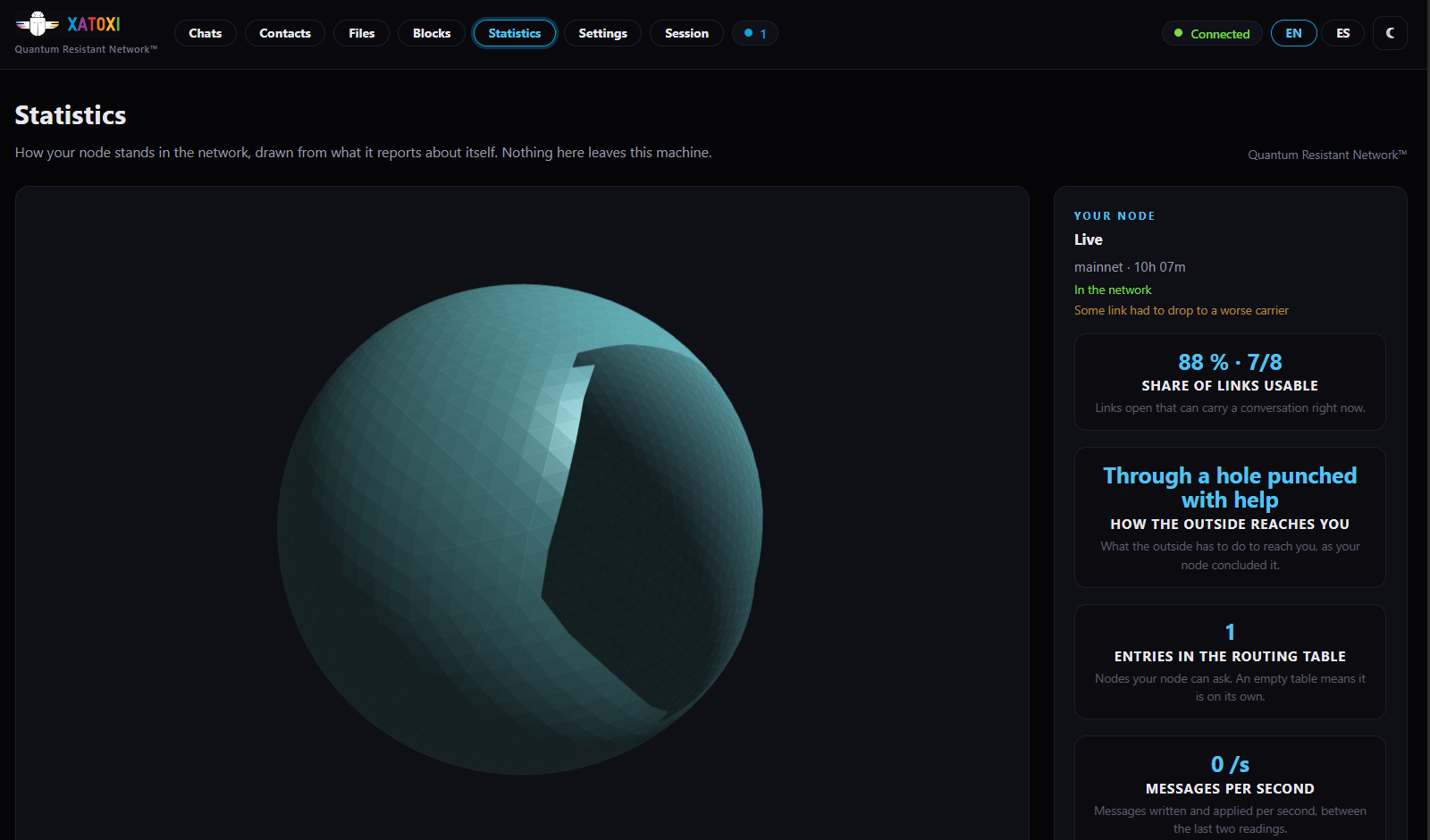
The node's web console, running. The mark at the top and repeated in the footer is drawn by the application itself: it is not an ornament of this page, it is the product naming itself.
How it works
Using it in the browser
The same QChat, with nothing to install. Access is by invitation while the network grows: ask for it through the form and it reaches you.
Downloads — release 2.1.0
Eight files, published on the Xatoxi CDN. The node and its client travel inside the two installation packages; the loose ones are for whoever would rather place them by hand.
Install the node
- Debian package, for Debian and derivativesDownload ↓
qchat_2.1.0_amd64.deb - Portable image: download it, make it executable, run itDownload ↓
qchat-2.1.0-x86_64.AppImage
Loose programs
- qchat, the node, built for Linux x86_64Download ↓
qchat-v2.1.0-linux-x86_64 - qchatctl, the command-line clientDownload ↓
qchatctl-v2.1.0-linux-x86_64
Command-line manual
- Command-line manual, in Spanish (PDF)Download ↓
cli-manual.es.pdf - Command-line manual, in English (PDF)Download ↓
cli-manual.en.pdf
To verify the download
- Signed manifest of the release: artifacts, sizes and digestsDownload ↓
manifest.json - Signature of the manifestDownload ↓
manifest.sig
Requirements
Linux x86_64. Three ports reachable from outside, or a router that knows how to punch. A clock that is roughly right, because every certificate and every token takes that for granted. And minutes of CPU the first time: that is what solving your identity costs, and it happens once.
- 7420/UDP — The routing table and the greeting
- 7421/UDP — The data plane
- 7422/TCP — Relay, when no direct path can be made
Verifying what you download
Every release is published with a signed manifest and its signature. The manifest declares the size and the SHA-256 digest of each artifact. The node itself reads it from its origin, checks the signature against the key built into it, and verifies digest and size before applying an update; anything that does not add up is deleted. The same values are what you use to check by hand whatever you download.
The network
A new node introduces itself to a seed, and the seed introduces it to other nodes. That is all a seed does: your messages do not go through it. These are the public seeds of the network, with the ports they answer on.
seed-c.xatoxi.app7420/udp · 7421/udp · 7422/tcpseed-d.xatoxi.app7420/udp · 7421/udp · 7422/tcp
Release history
- 2.1.0 20 September 2026
The published release. It carries the node, its command-line client, web console 1.2.0 and the manual in Spanish and in English, all inside the same signed artifact.
- 1.0.0 22 August 2026
The first release. It is the one the command-line manual travelling inside 2.1.0 describes.
XATOXI™ and Quantum Resistant Network™ are trademarks of XATOXI LTD. Xatoxi QChat is published under those marks.